 InSnap
InSnap Free vs Pro: What You Get on Each Plan
A clear breakdown of what is free in InSnap, what Pro unlocks, and how the optional Cloud subscription fits in — with no account required for Pro activation.
InSnap has two independent paid products: Pro, a one-time purchase that unlocks the advanced tools, and Cloud, an optional subscription for share links. Everything else is free. This page is the short version of what belongs where.
The short version
- Free: screenshots, annotation, pinning, OCR, screenshot history and basic screen recording to MP4.
- Pro: the power tools — Smart Erase, scrolling capture, GIF, backgrounds and stitching, video editing effects, guides, Spotlight, Magnifier and Watermark.
- Cloud: hosted share links with expiry and an optional password, plus storage. It is separate from Pro; buying one does not include the other.
What is free
| Feature | Notes |
|---|---|
| Screenshot and region capture | Including window and element detection |
| Annotation | Shapes, lines, pen, marker, eraser, mosaic and blur, text, numbers |
| Pinning screenshots | Including pinning text, images and files from the clipboard |
| OCR | On-device text recognition and text selection on the image |
| Screenshot history | Search, tags, favorites, text index inside images |
| Basic screen recording | Region recording to MP4, with system audio, microphone and camera |
| Image editing | Crop, rotate, flip |
That is a complete screenshot tool. The free tier is not a trial with an export watermark; it is the everyday workflow.
What Pro adds
Pro is a one-time purchase of $15 that covers up to three devices and includes future updates. It unlocks:
| Pro feature | What it is for |
|---|---|
| Smart Erase | Removing an object or text from the screenshot |
| Scrolling capture | Stitching a long page into one image |
| GIF recording and export | Turning a recording into a looping GIF |
| Image backgrounds and stitching | Backdrops, frames, and combining several captures |
| Video editing effects | Auto zoom, camera picture-in-picture, cursor and background effects |
| High-quality export | Original-quality passthrough when effects are not burned in |
| Guides | Recording, editing and exporting step-by-step guides |
| Spotlight and Magnifier | Focus and zoom effects for annotations |
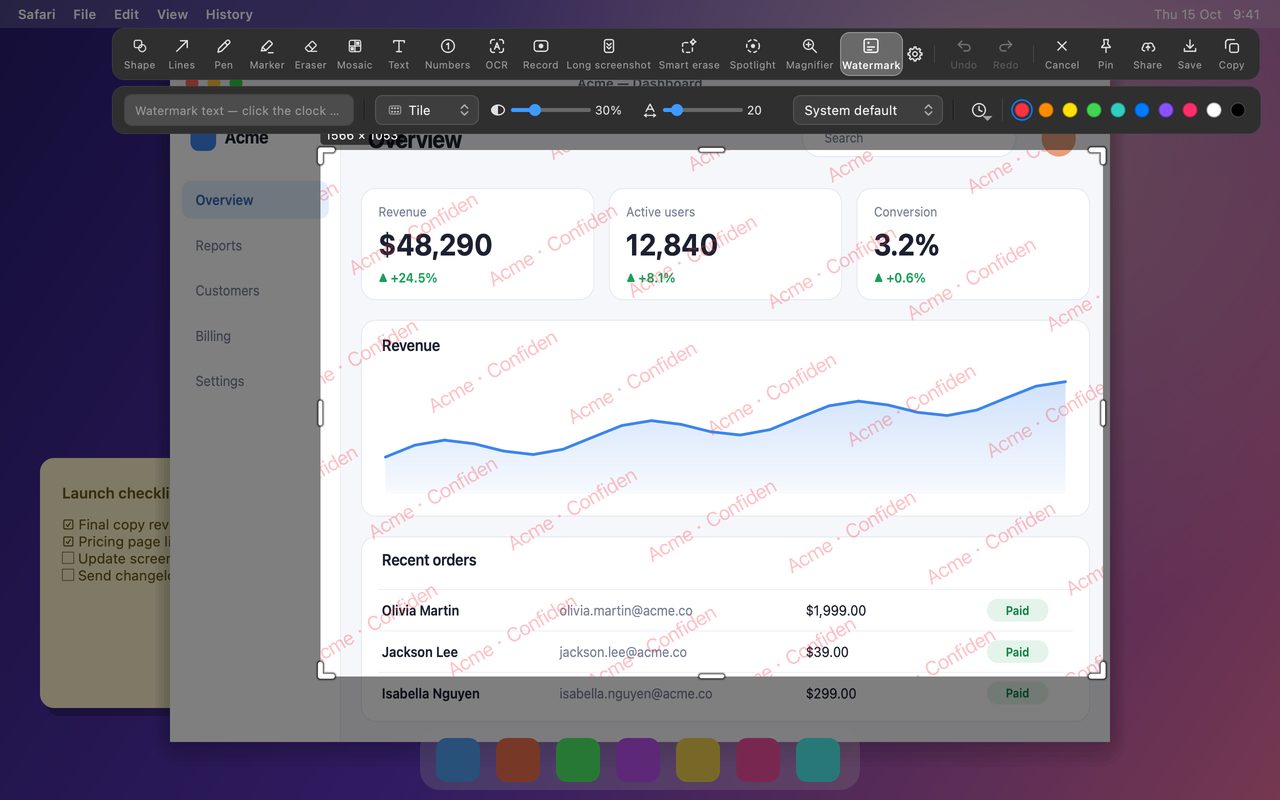
| Watermark | Text or timestamp across the whole image |
Activation uses a license code and does not require an InSnap account. The app verifies the code locally and can refresh it over the internet; if it is offline for a long time, Pro keeps working until the license expires.
What Cloud adds
Cloud is an optional subscription: $2.99 per month or $29 per year, with 50 GB of storage. It is for sharing rather than editing:
- Upload a screenshot, GIF, video or guide export.
- Get a link that opens in any browser.
- Set an expiry date and an optional password.
- Manage and revoke links later.
Cloud requires an InSnap account. It does not unlock Pro features, and Pro does not include Cloud storage. If you only share files occasionally, the free workflow (save and attach) is enough.
Which plan do you need?
| If you… | You need |
|---|---|
| Take screenshots and annotate them | Free |
| Pin references while you work | Free |
| Copy text from images | Free |
| Record a quick demo clip | Free |
| Write step-by-step guides | Pro |
| Remove objects, capture long pages or make GIFs | Pro |
| Edit videos with auto zoom and camera overlay | Pro |
| Send share links with expiry and passwords | Cloud |
A common combination is Pro for the tools plus Cloud for the handful of links you send each month. Neither is required to use the other.
FAQ
Do I need an account to use Pro?
No. Pro activation takes a license code and binds it to the device; no account or sign-in is involved. Cloud does require an InSnap account.
Does Pro include Cloud storage?
No. They are separate purchases with separate billing. Pro is a one-time license for the app's tools; Cloud is a subscription for hosting and sharing links.
What happens to my Pro features if I stop paying for Cloud?
Nothing. Pro is a one-time purchase, not a subscription. Cancelling Cloud only removes hosted links and storage; the app and its Pro tools keep working.
Can I use Pro on more than one computer?
Yes, up to three devices. If you reach the limit, you can remove a device from your account page or replace one during activation.
More from the blog
How to Add Text to a Screenshot (and Make It Readable)
Add labels, titles and callouts to a screenshot with readable contrast, the right size and clean placement — plus how to edit them later on Mac and Windows.
October 25, 2026
Auto Zoom for Screen Recordings: What It Does and When to Use It
How InSnap's auto zoom follows your clicks in a screen recording, how the strength settings change the result, and when a static recording is better.
October 25, 2026
How to Make a Before-and-After Comparison Image
One image beats two attachments: capture both states at the same size, stitch them side by side, label them, and send a comparison the reader can scan.
October 25, 2026